
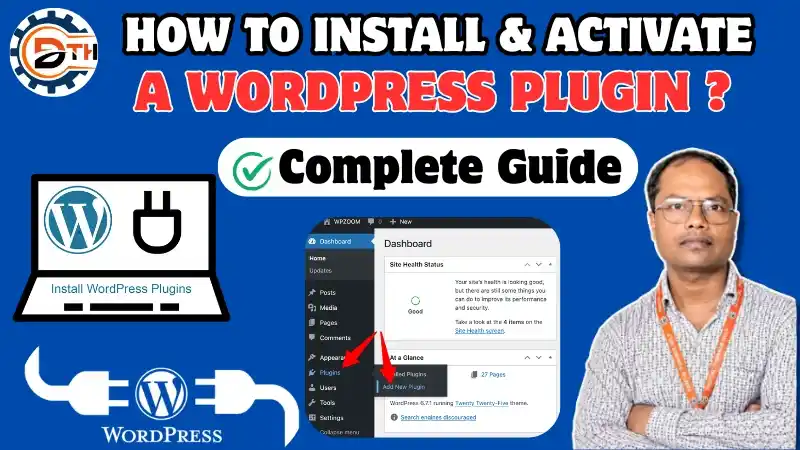
Agar aap WordPress website bana rahe hain ya WordPress seekh rahe hain, to aapne Plugins ke baare mein zaroor suna hoga.
WordPress Plugins ki help se aap apni website mein SEO Contact Form Security Backup Speed Optimization jaise extra features easily add kar sakte hain.
Sabse achhi baat ye hai ki Plugins use karne ke liye coding knowledge hona zaroori nahi hai.
Aaj hum step by step samjhenge:
- How is WordPress Plugin?
- How Should to Check Before Installing a WordPress Plugin?
- How Are the Different Methods to Install a WordPress Plugin?
- Why to Make Activate and Configure a WordPress Plugin?
- How Can You Update a WordPress Plugin?
- What Can You Delete a WordPress Plugin?
- How to Mistakes Should You Avoid When Using WordPress Plugins?
How is WordPress Plugin?
WordPress Plugin ek software component hota hai jo aapki website mein extra functionality add karta hai.
यदि आप Website Development सीखना चाहते हैं तो हमारी Technical Team से बात कर सकते हैं!
(HR: 9034756711 | MD: 9017940459)
Simple words mein:
Plugin = Website mein Extra Feature Add Karne Ka Tool
Example ke liye agar aapko website mein:
- Contact Form
- SEO Features
- Security
- Backup
- Image Optimization
- Speed Optimization
- Opt-in Form
add karna hai, to aap relevant Plugins ka use kar sakte hain.
Isliye bina coding ke bhi aap apni WordPress website ki functionality ko extend kar sakte hain.
Why Should You Use WordPress Plugins?
Plugins aapki website ko zyada useful aur functional banane mein help karte hain.
Complete Lesson in This Video; So Watch Completely!! 👇 👇 👇
Plugins Se Aap:
- SEO improve kar sakte hain.
- Contact Form add kar sakte hain.
- Website security improve kar sakte hain.
- Backup create kar sakte hain.
- Images optimize kar sakte hain.
- Website speed improve karne mein help le sakte hain.
- Extra website features add kar sakte hain.
How Should You Check Before Installing a WordPress Plugin?
Kisi bhi Plugin ko blindly install nahi karna chahiye.
1. Rating & Reviews Check Karein
Plugin ki rating aur user reviews zaroor check karein.
Reviews se aapko idea mil sakta hai ki doosre users ka experience kaisa raha hai.
2. Last Update Check Karein
Ye check karein ki Plugin recently update hua hai ya nahi.
Agar Plugin bahut saalon se update nahi hua hai, to use install karne se pehle carefully evaluate karein.
3. WordPress Compatibility Check Karein
Plugin aapke current WordPress version ke saath compatible hai ya nahi, ye zaroor check karein.
4. Plugin Conflicts Se Bachein
Kabhi-kabhi do Plugins ek doosre ke saath conflict kar sakte hain.
Isse website mein bugs ya technical problems aa sakti hain.
5. Trusted Source Se Download Karein
Random ya unknown websites se Plugins download karne se bachein.
Official aur trusted sources ko preference dein.
How Can You Avoid Installing To Many Plugins on Your Website?
Har chhoti functionality ke liye alag Plugin install karna sahi approach nahi hai.
Digital Thinker Help – Best Website Development Company in Yamunanagar
Agar aap unnecessary Plugins install karte rahenge, to website ki:
- Performance
- Speed
- Security
- Reliability
affect ho sakti hai.
Simple Rule:
Sirf wahi Plugins install karein jo genuinely required hain.
How Are the 3 Methods to Install a WordPress Plugin?
WordPress mein Plugin install karne ke mainly 3 common methods hain:
Method 1:
WordPress Dashboard Se Plugin Install Karna
Method 2:
ZIP File Upload Karke Plugin Install Karna
Method 3:
File Manager / FTP Se Manually Plugin Add Karna
Method 1 –Why to Install a WordPress Plugin from the Dashboard
Ye beginners ke liye sabse easy method hai.
Step 1: WordPress Dashboard Login Karein
Sabse pehle apne WordPress Dashboard mein login karein.
Step 2: Plugins Section Open Karein
Left-side menu mein:
Plugins → Add New Plugin
par click karein.
Step 3: Plugin Search Karein
Search bar mein apne required Plugin ka naam type karein.
Example:
SEO
Step 4: Plugin Install Karein
Required Plugin select karke:
Install Now
par click karein.
Step 5: Plugin Activate Karein
Installation ke baad:
Activate
button par click karein.
Bas, Plugin aapki website par activate ho jayega.
What it is Necessary to Activate a WordPress Plugin?
Sirf Plugin install karna enough nahi hai. Plugin ko use karne ke liye usse Activate karna zaroori hota hai. Agar Plugin already installed hai, to:
Plugins → Installed Plugins
mein jaakar Plugin ke saamne Activate button par click kar sakte hain.
Plugin Setup & Configuration
Plugin activate karne ke baad kaam completely finish nahi hota. Bahut se Plugins ke liye basic configuration/settings karni padti hain. Har Plugin ki settings different ho sakti hain.
Example ke liye e-commerce Plugin mein:
- Products
- Payments
- Accounts
- Checkout
jaise options ki settings configure karni pad sakti hain.
Simple Tip:
Plugin activate karne ke baad uski settings ko carefully read karke apni requirement ke according configure karein.
Method 2 – How to Install a WordPress Plugin Using a ZIP File
Agar Plugin ki ZIP file aapke computer mein available hai, to aap use directly WordPress Dashboard se upload kar sakte hain.
Steps:
- Trusted source se Plugin ZIP file download karein.
- WordPress Dashboard open karein.
- Plugins → Add New Plugin par jayein.
- Upload Plugin option select karein.
- Choose File par click karein.
- Plugin ki ZIP file select karein.
- Install Now par click karein.
- Installation complete hone ke baad Activate par click karein.
What Are the Important Tips for Uploading a ZIP File
ZIP File Ko Normally Extract Karne Ki Zaroorat Nahi
WordPress normally Plugin ki ZIP file ko directly process kar sakta hai.
Isliye unnecessarily ZIP file ko extract karke upload karne ki zaroorat nahi hoti.
Documentation Check Karein
Agar Plugin kisi third-party source se mila hai, to installation se pehle uski proper documentation zaroor check karein.
Upload Error Aaye To:
- File format check karein.
- Plugin package check karein.
- Server upload limit check karein.
- Plugin documentation read karein.
Method 3 – How to Install a WordPress Plugin Using File Manager or FTP
Ye method thoda technical hai.
Agar aapko File Manager ya FTP ka basic knowledge hai, tabhi is method ka use karein.
Basic Process:
- Plugin ZIP file download karein.
- ZIP file ko computer par extract karein.
- Plugin folder identify karein.
- Hosting ke File Manager ya FTP mein login karein.
- WordPress ke Plugin directory mein jayein.
- Plugin folder upload karein.
- WordPress Dashboard open karein.
- Plugins → Installed Plugins par jayein.
- Plugin ko Activate karein.
Plugin Directory:
Normally WordPress Plugins ka folder hota hai:
wp-content/plugins
What Should You Check in Plugin Settings After Activation?
Plugin activate karne ke baad uska dashboard ya settings section check karein. Kuch Plugins ka separate menu hota hai, jabki kuch ki settings WordPress ke existing Settings section mein mil sakti hain. Plugin ko properly configure karna important hai taaki woh aapki requirement ke according work kare.
How Can You Update a WordPress Plugin?
Plugins ko regularly update rakhna important hai. Agar kisi Plugin ka new update available hai to WordPress Dashboard mein notification दिखाई दे सकती है.
Update Karne Se Pehle:
Website ka backup zaroor lein.
Update Steps:
- Plugins → Installed Plugins open karein.
- Available update check karein.
- Backup lein.
- Update Now par click karein.
- Update complete hone ke baad website check karein
What Should You Check After Updating a WordPress Plugin?
- Website properly open ho rahi hai ya nahi.
- Important pages work kar rahe hain ya nahi.
- Contact Forms check karein.
- Website functionality test karein.
How Can You Delete a WordPress Plugin?
Agar kisi Plugin ki zaroorat nahi hai, to use unnecessary installed rakhne ke bajay remove karna better hai.
Step 1: Backup Leins
Plugin delete karne se pehle website ka backup rakhna good practice hai.
Step 2: Plugin Deactivate Karein
Plugins → Installed Plugins
mein jayein aur Plugin ko Deactivate karein.
Step 3: Delete Karein
Deactivate hone ke baad:
Delete
option par click karein.
Confirmation ke baad Plugin remove ho jayega.
Why Are the Common Mistakes to Avoid When Using WordPress Plugins?
Mistake 1: Unknown Sources Se Plugin Download Karna
Random websites se Plugins download karna avoid karein.
Mistake 2: Bahut Zyada Plugins Install Karna
Har small feature ke liye Plugin install na karein.
Mistake 3: Plugin Updates Ignore Karna
Available updates ko unnecessarily ignore na karein.
Mistake 4: Backup Na Lena
Important changes ya updates se pehle backup lena good practice hai.
Mistake 5: Compatibility Check Na Karna
Plugin install karne se pehle WordPress compatibility check karein.
How Are the Best Tips for Using WordPress Plugins?
Trusted source se Plugins install karein.
- Rating aur reviews check karein.
- Last update check karein.
- WordPress compatibility check karein.
- Unnecessary Plugins remove karein.
- Plugins ko updated rakhein.
- Major updates se pehle backup lein.
- Update ke baad website properly test karein.
- Technical methods use karte waqt extra caution rakhein.
Summing Up
WordPress Plugins website mein extra features add karne ka easy aur powerful way hain. Inki help se aap bina coding ke SEO, Security, Contact Forms, Backup, Speed Optimization aur many other functionalities add kar sakte hain.
Lekin Plugin install karte waqt quality, reviews, updates, compatibility aur security ka dhyan rakhna bahut important hai.
याद रखें:
“Har Plugin Install Karna Zaroori Nahi Hai — Sirf Required Aur Trusted Plugins Ka Use Karein.”
If this content is valuable for you, then please share it along with your friends, family members, pet lovers or relatives over social media platforms like as Facebook, Instagram, LinkedIn, Twitter, and more.
Do you have any experience, tips, tricks, or query regarding on this? You can drop a comment!