
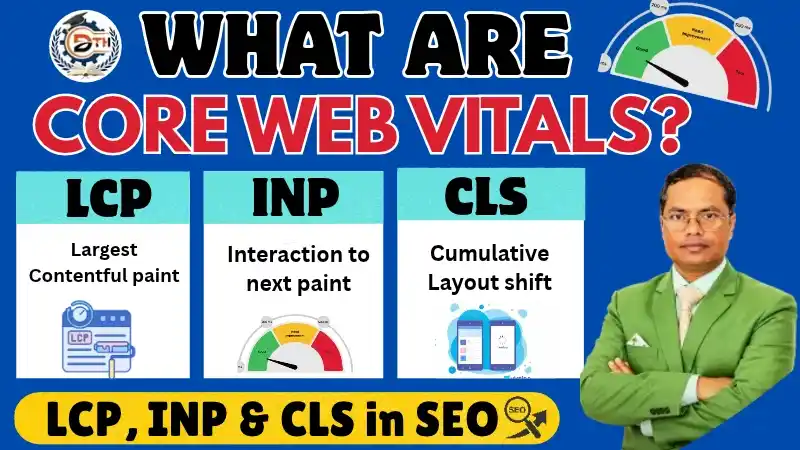
Aaj hum SEO ke ek bahut hi important topic ke baare mein jaanne wale hain, jiska naam hai Core Web Vitals.
Kya aapki website Google par rank toh karti hai lekin visitors aapki website par zyada time nahi rukte? Kya visitors website open karte hi use leave kar dete hain? Iske ilawa kya aapki website load hone mein zyada time leti hai? Ya phir website par laga koi button properly response nahi karta?
Agar aapki website mein bhi aisi problems aa rahi hain, toh aapke liye Core Web Vitals ko samajhna bahut zaroori hai.
Core Web Vitals Google ke important performance metrics hain. Ye metrics measure karte hain ki aapki website par aane wale users ka experience kaisa hai.
Inmein mainly teen important factors check kiye jaate hain:
- Loading Performance
- Interactivity
- Visual Stability
Core Web Vitals Ke 3 Main Metrics
Sabse pehle samajhte hain ki Core Web Vitals ke teen main metrics kaun se hain.
- LCP – Largest Contentful Paint
- INP – Interaction to Next Paint
- CLS – Cumulative Layout Shift
Ye teeno metrics website ke user experience ko evaluate karne mein help karte hain.
Ab hum inhe practical examples se samjhenge taaki meaning aur improvement process clear ho sake.
1.What is LCP (Largest Contentful Paint)?
Pehle jaante hain ki LCP kya hota hai
LCP ka full form hai Largest Contentful Paint.
यदि आप SEO Course सीखना चाहते हैं तो हमारी Technical Team से बात कर सकते हैं!
(HR: 9034756711 | MD: 9017940459)
Ye webpage ke sabse bade content ko load hone ka time measure karta hai.
Example ke liye, maan lijiye aapki website par ek bada banner image laga hua hai, ya koi main heading display ho rahi hai.
Jab koi visitor aapki website open karta hai, toh us main content ko properly load hone mein kitna time lagta hai, LCP isi cheez ko measure karta hai.
Good LCP Score Kitna Hona Chahiye
Google ke according:
- Good LCP: 2.5 seconds ya usse kam.
- Needs Improvement: 2.5 seconds se zyada aur 4 seconds tak.
- Poor LCP: 4 seconds se zyada.
LCP 2.5 seconds se zyada hai toh website ki loading speed improve karein.
Lekin agar LCP 2.5 seconds se zyada hai toh aapko website ki loading performance improve karne ki zaroorat hai
How to Improve Your LCP Score in SEO?
Agar aapki website ka LCP score poor hai toh kuch important techniques follow kar sakte hain
1. Images Compress Karein
Website ki loading slow hone ka ek common reason large image files bhi hoti hain.
Complete Lesson in This Video; So Watch Completely!! 👇 👇 👇
Agar aap website par heavy images upload karte hain, toh unhe load hone mein zyada time lag sakta hai.
Isliye images ko compress karein aur WebP jaise modern image formats ka use karein.
Image ka file size jitna optimized hoga, website ko load hone mein utna hi kam time lag sakta hai.
2. Achhi Hosting Service Use Karein
Website ki performance mein hosting ka bhi important role hota hai.
Agar aapki hosting service slow hai, toh website ki loading speed par negative impact pad sakta hai.
Isliye sirf low price dekhkar hosting select na karein. Ek reliable hosting provider choose karein, jo aapki website ko achhi speed aur performance de sake.
3. Unnecessary JavaScript Aur CSS Reduce Karein
Kai baar website mein unnecessary JavaScript aur CSS files add hoti rehti hain.
Ye extra code website ki loading performance ko affect kar sakta hai.
Isliye unnecessary scripts aur CSS ko remove karein aur existing code ko optimize karein.
4. Browser Caching Ka Use Karein
Browser caching ki help se website ke kuch resources visitor ke browser mein temporarily save ho sakte hain.
Jab visitor dobara website open karta hai, toh browser ko har resource server se dobara download nahi karna padta.
Isse repeat visits par website ki loading improve ho sakti hai.
5. CDN (Content Delivery Network) Ka Use Karein
CDN website ki performance improve karne mein kaafi helpful hota hai.
Example ke liye, maan lijiye aapki website ka main server India mein hai aur koi visitor Singapore se website open karta hai.
Agar aap CDN use karte hain, toh website ka cached content visitor ko nearby CDN server se mil sakta hai.
Isse content delivery time reduce ho sakta hai aur website comparatively fast open ho sakti hai.
Aane wale time mein hum CDN par ek dedicated practical video bhi lekar aa sakte hain.
2. What is INP (Interaction to Next Paint)?
Ab hum Core Web Vitals ke second important metric ki baat karte hain.
INP ka full form hai Interaction to Next Paint.
INP measure karta hai ki button menu ya form par click karne ke baad website kitni jaldi response deti hai
Digital Thinker Help – digital marketing company based institute that stands out from the rest.
Simple language mein samjhein toh jab koi visitor aapki website par kisi button menu ya form ke saath interact karta hai toh us action ke baad website kitni jaldi response deti hai INP isi responsiveness ko measure karta hai.
INP Ko Practical Example Se Samjhein
Maan lijiye koi visitor aapki website par aata hai.
Usse aapka koi course pasand aa gaya aur woh course ke button par click karta hai.
Ab button click karne ke baad agar next page ya required content jaldi response deta hai, toh user experience achha hota hai.
Lekin agar button click karne ke baad website kuch seconds tak response nahi deti, toh visitor ko wait karna padta hai.
Isse user experience poor ho sakta hai.
Good INP Score Kitna Hona Chahiye
Google ke according:
- Good INP: 200 milliseconds ya usse kam.
- Needs Improvement: 200 milliseconds se zyada aur 500 milliseconds tak.
- Poor INP: 500 milliseconds se zyada.
Agar aapki website ka INP score 200 milliseconds ya usse kam hai toh ye good performance category mein aata hai.
How to Improve Your INP Score in SEO?
Agar aapki website ka INP score high hai, toh in important points par focus karein.
1. JavaScript Execution Reduce Karein
Website mein JavaScript buttons forms pop-ups aur interactive features ko functional banata hai.
Unnecessary JavaScript website ki responsiveness slow kar sakta hai. Isliye extra code remove karein aur important scripts optimize karein.
2. Main Thread Blocking Tasks Reduce Karein
Heavy tasks browser ke main thread ko busy rakhte hain jisse user ka interactions response slow ho jata hai.
Heavy JavaScript tasks ko identify karke chhote tasks mein divide karein
3. Third-Party Scripts Ko Carefully Manage Karein
Kai websites par third-party scripts ka use hota hai, jaise:
- Advertising Scripts
- Tracking Scripts
- Analytics Tools
- Chat Widgets
- Pop-up Scripts
Unnecessary third-party scripts website ki performance slow kar sakti hain. Isliye sirf जरूरी scripts use karein aur unhe optimize karein.
4. Buttons Aur Forms Ki Responsiveness Check Karein
Website par buttons, menus aur forms properly response karne chahiye.
Button click karne par website ko bina delay ke response dena chahiye.
Isliye apni website ke important interactive elements ko regularly test karein.
FID Ki Jagah INP Kab Aaya?
Ek helpfull baat dhyan mein rakhein.
March 2024 se website interaction performance measure karne ke liye INP ne FID ki jagah le li
Website responsiveness check karne ke liye INP samajhna important hai
3. What is CLS (Cumulative Layout Shift)?
Ab hum Core Web Vitals ke third important metric ko samajhte hain.
CLS ka full form hai Cumulative Layout Shift.
Ye metric website ki visual stability ko measure karta hai.
Website load hote samay agar koi element bina interaction ke apni jagah badal leta hai toh ise Layout Shift kaha jaata hai.
CLS Ko Practical Example Se Samjhein
Maan lijiye koi visitor aapki website par ek article read kar raha hai
Woh article ka content padh raha hai aur achanak website par ek advertisement load ho jaata hai
Advertisement load hone ki wajah se article ka text neeche shift ho jaata hai
Ab visitor jis line ko padh raha tha woh apni position change kar leti hai
Kabhi kabhi aisa bhi hota hai ki visitor kisi button par click karne wala hota hai lekin content shift hone ki wajah se woh galti se kisi doosre element par click kar deta hai
Isi problem ko layout shift kaha jaata hai.
Agar website par ads aur other elements sahi tarah manage nahi hain toh Layout Shift ho sakta hai
Isliye website ki visual stability maintain karna bahut zaroori hai
Good CLS Score Kitna Hona Chahiye?
Google ke according:
- Good CLS: 0.1 ya usse kam.
- Needs Improvement: 0.1 se zyada aur 0.25 tak.
- Poor CLS: 0.25 se zyada.
CLS score 0.1 ya usse kam hona website ke liye achha signal hai
How to Improve Your CLS Score in SEO?
Agar aapki website ka CLS score high hai toh in techniques ko follow karein
1. Images Ki Width Aur Height Fix Karein
Website par image upload karte waqt uski width aur height zaroor define karein
Example ke liye, agar kisi image ki width 400px aur height 300px hai, toh uske dimensions ko properly specify karein.
Isse browser image load hone se pehle hi uske liye space reserve kar leta hai
Isse unnecessary layout shifting ko reduce karne mein help milti hai.
2. Advertisements Ke Liye Space Reserve Karein
Agar aapki website par advertisements display hoti hain, toh unke liye pehle se proper space reserve karein.
Example ke liye, aap website ke sidebar, bottom section ya kisi fixed ad slot mein advertisement display kar sakte hain.
Ads ke liye pehle se space reserve na karne par load hote waqt webpage ka content shift ho sakta hai.
Isliye ad placement ko properly plan karein.
3. Web Fonts Ko Optimize Karein
Website par use hone wale fonts bhi kabhi-kabhi layout shifting ka reason ban sakte hain
Isliye web fonts ko properly optimize karein aur font loading ke liye suitable techniques ka use karein
4. Page Content Ko Suddenly Move Hone Se Bachayein
Website ka content bina kisi reason ke upar neeche move nahi karna hota hai.
Website par ads images aur videos add karte waqt unke liye pehle se sufficient space reserve karein taaki layout shift na ho.
How to Check for Core Web Vitals?
Ab tak humne Core Web Vitals ke teeno metrics samajh liye hain
Ab hum samjhenge ki website ke Core Web Vitals metrics ko kaise measure karein.
Website ki performance kaise measure karein aaiye samajhte hain.
1. Google PageSpeed Insights
Google PageSpeed Insights ki help se aap apni website ki performance check kar sakte hain.
Aapko simply PageSpeed Insights open karna hai.
Uske baad apni website ka URL enter karein aur Analyze button par click karein.
Kuch seconds wait karne ke baad tool aapko performance report show karega.
Is report mein aapko Core Web Vitals se related important information mil sakti hai.
Jaise:
- LCP
- INP
- CLS
- Performance Score
- Other Performance Metrics
Iski help se aap identify kar sakte hain ki website mein kaun-si problems hain aur kin areas mein improvement ki zaroorat hai.
2. Google Search Console
Google Search Console mein bhi Core Web Vitals ka dedicated report section available hota hai.
Yahan aap website URLs ki performance aur user experience reports dekh sakte hain aur mobile aur desktop performance alag-alag check kar sakte hain.
3. Chrome Web Vitals Tools
Chrome ke Web Vitals-related tools ki help se bhi website performance aur user experience ko analyze kiya ja sakta hai.
In tools ka use karke aap website ke different performance issues ko identify kar sakte hain.
Practical Example – Website Ka Core Web Vitals Score Check Karna
Chaliye ab computer screen par ek website ka performance test karke dekhte hain.
Open to PageSpeed Insights karte hai.
Ab hum ek website ka URL copy karenge aur use PageSpeed Insights ke search box mein paste kar denge.
Uske baad Analyze button par click karenge.
Ab tool website ko analyze karega.
Friends, analysis complete hone ke baad aapko website ki performance report dikhai degi.
Yahan aap LCP, INP aur CLS ke scores check kar sakte hain.
Iske saath hi aapko mobile aur desktop dono ke liye alag alag reports mil sakti hain
Kai baar desktop par website fast hoti hai lekin mobile par slow. Isliye dono versions ko separately check karna important hai
Agar kisi metric mein problem ho toh tool improvement suggestions bhi deta hai.
Aap in suggestions ko implement karke apni website ki performance behtar bana sakte hain.
Yaad rakhein har website ki requirements alag hoti hain. Isliye performance improve karte waqt website ke design functionality aur business requirements ko bhi dhyan mein rakhein.
Important for Core Web Vitals SEO
Chaliye ab apne main topic par wapas aate hain.
Aakhir Core Web Vitals SEO ke liye important kyun hain
Core Web Vitals website ke user experience ko improve karne mein help karte hain.
Google ke Page Experience signals mein Core Web Vitals important role play karte hain.
In metrics ki help se Google ko website ki loading performance responsiveness aur visual stability ke baare mein information milti hai.
Fast loading quick response aur stable layout se visitors ko better browsing experience milta hai.
Lekin ek important baat hamesha yaad rakhein.
Core Web Vitals ranking guarantee nahi dete.
SEO ranking ke liye other important factors par bhi dhyan dein:
- High-Quality Content
- Proper Keyword Research
- Search Intent Optimization
- Quality Backlinks
- Technical SEO
- On-Page SEO
- Website User Experience
Website ki ranking ke liye SEO aur user experience dono important hain
Ye improvements website ki SEO performance ko strong banati hain.
Final Thoughts
Aaj humne LCP, INP aur CLS ko samjha.
- LCP (Largest Contentful Paint) Website ke main visible content ki loading speed measure karta hai
- INP (Interaction to Next Paint) Website ki responsiveness measure karta hai
- CLS (Cumulative Layout Shift) Website ki visual stability measure karta hai
Iske saath hi humne ye bhi jaana ki in teeno metrics ke scores kaise improve kar sakte hain aur Google PageSpeed Insights aur Search Console ki help se website ki performance kaise check
If this lesson is valuable for you, then please share it along with your friends, who are learning the Digital Marketing; over social media platforms like as Facebook, Instagram, LinkedIn, Twitter, and more.
Do you have any experience, tips, tricks, or query regarding on this? You can drop a comment!